Lesson 4: Simple file operations
After completing the last lesson, you should have bookmarked the two Globus Tutorial collections.
In this lesson we will:
- open a bookmarked collection
- upload a small file from our local machine
- perform various actions on a file
Since the Tutorial collections are empty by default, we need to upload a file before we can move it between collections.
Use of Globus Personal Connect is recommended for bulk file copy operations
For uploading multiple large files the recommended approach is to use Global Personal Connect which we will cover in a later lesson. The browser upload method is being used because the Tutorial Collections are not pre-populated with data.
Open a bookmarked collection
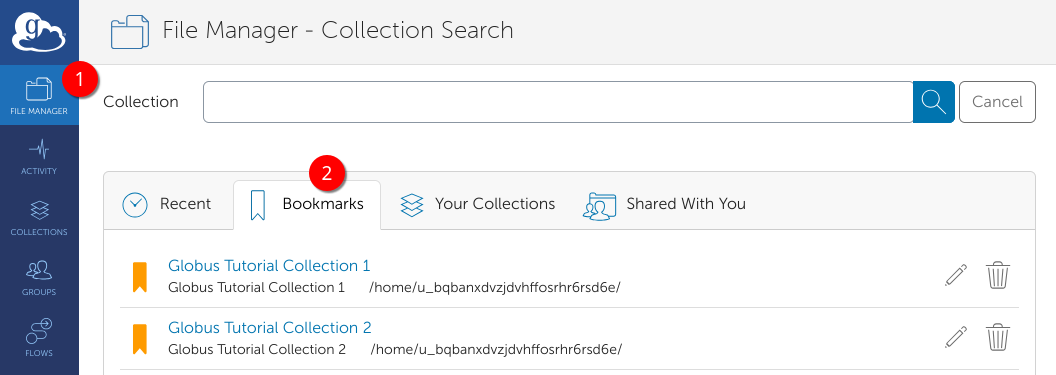
Go to the file manager and then click bookmarks. Select Globus Tutorial Collection 1
Once you have opened the collection, we will proceed to upload a file from your local machine. Please be reminded this is only for small ad-hoc uploads, and we will cover the best practice for uploading files in a later lesson.
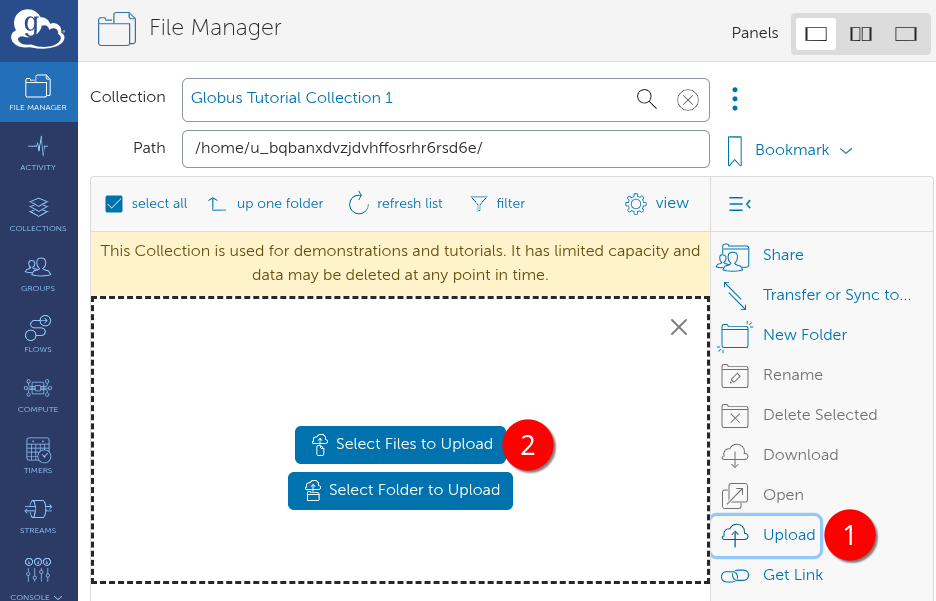
Click Upload, then "Select files to upload". Choose a small file (\<1MB) from your local filesystem that does not contain any identifying data.
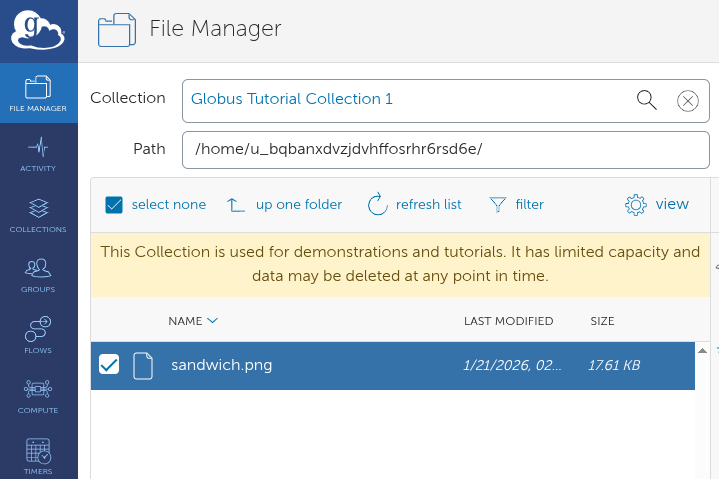
Rename/Download/Delete a file
Now try uploading another file.
In this example, we have already uploaded a file called square.png
We will now:
- rename it
- download it
- finally delete it from the collection
Select the file so that the checkbox is ticked. Then click rename, and type in the new name, and press Enter.
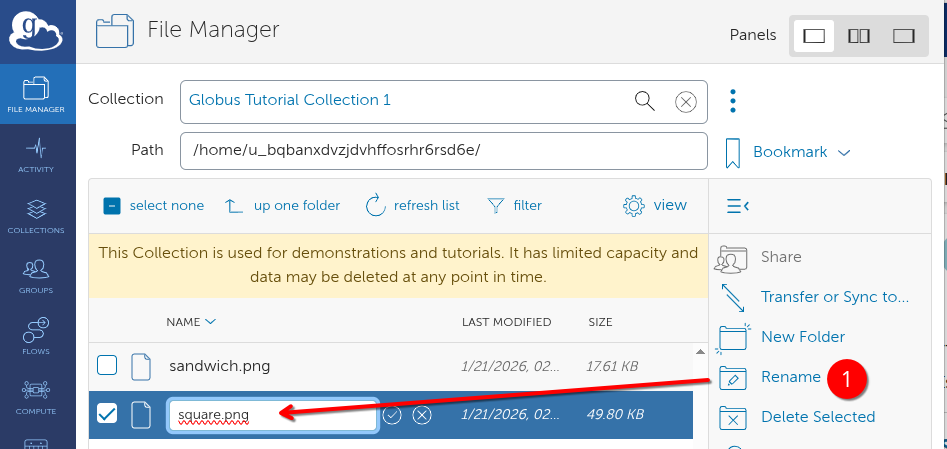
We have renamed our square.png to circle.png. Ensure the box is still selected (1) and then click Download (2) to download it to our local machine.
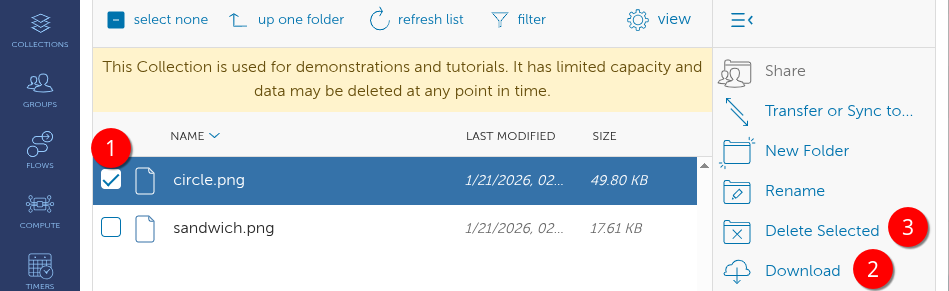
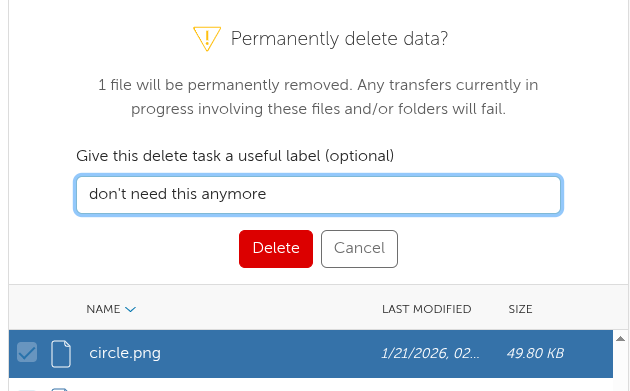
Finally click Delete Selected (3) to permanently remove the file from the collection. You may optionally provide a label for the action or leave it blank. Upon successful completion of this action you will receive an email confirmation.
Confirm that the file has been deleted in the collection - you may need to click Refresh list to update the file listing.